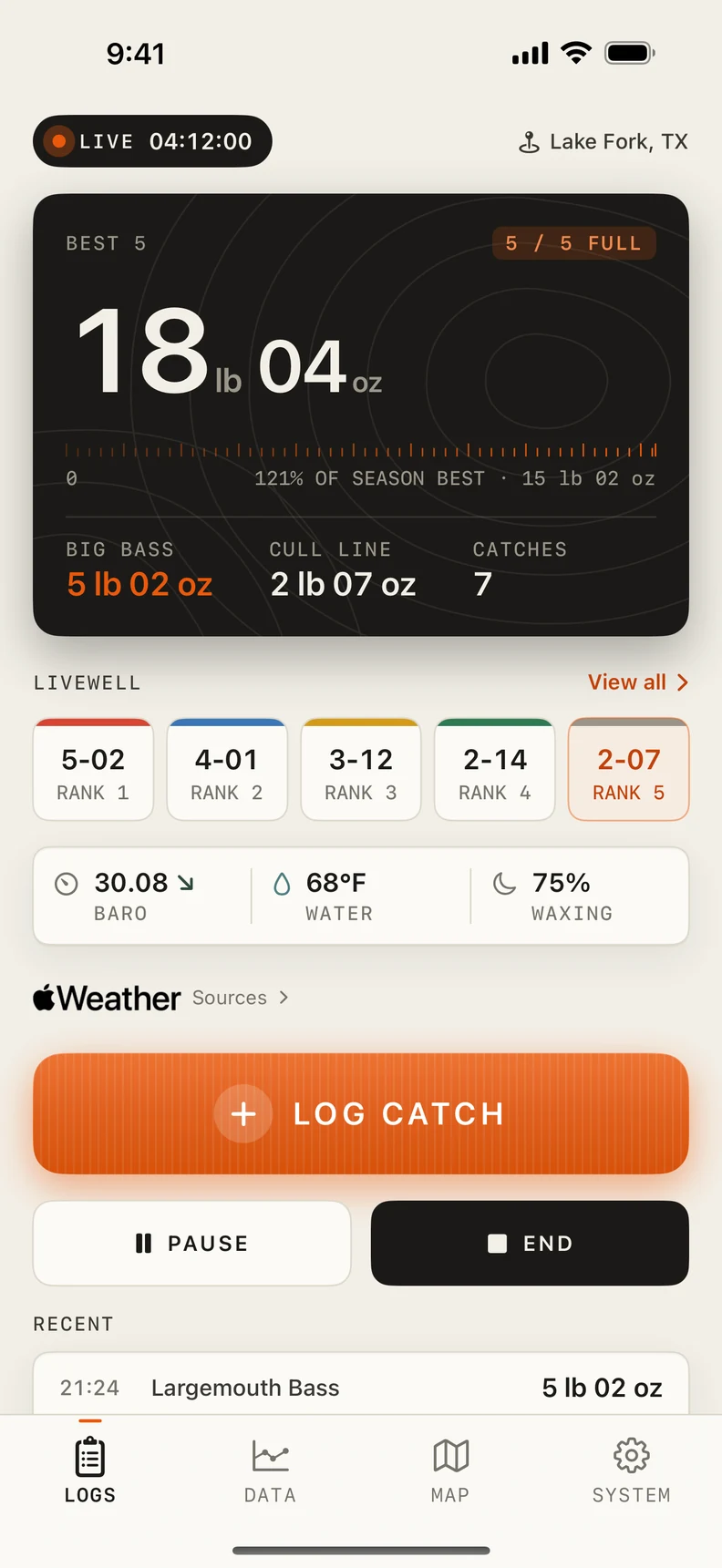
Keep your best five in view.
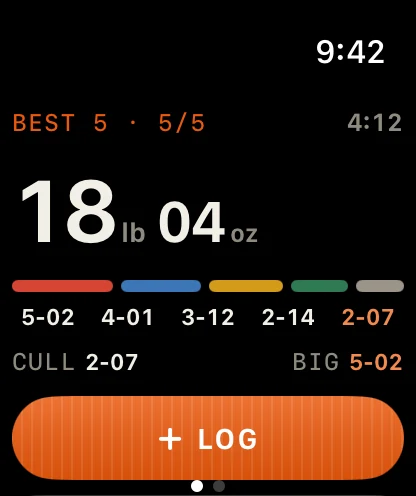
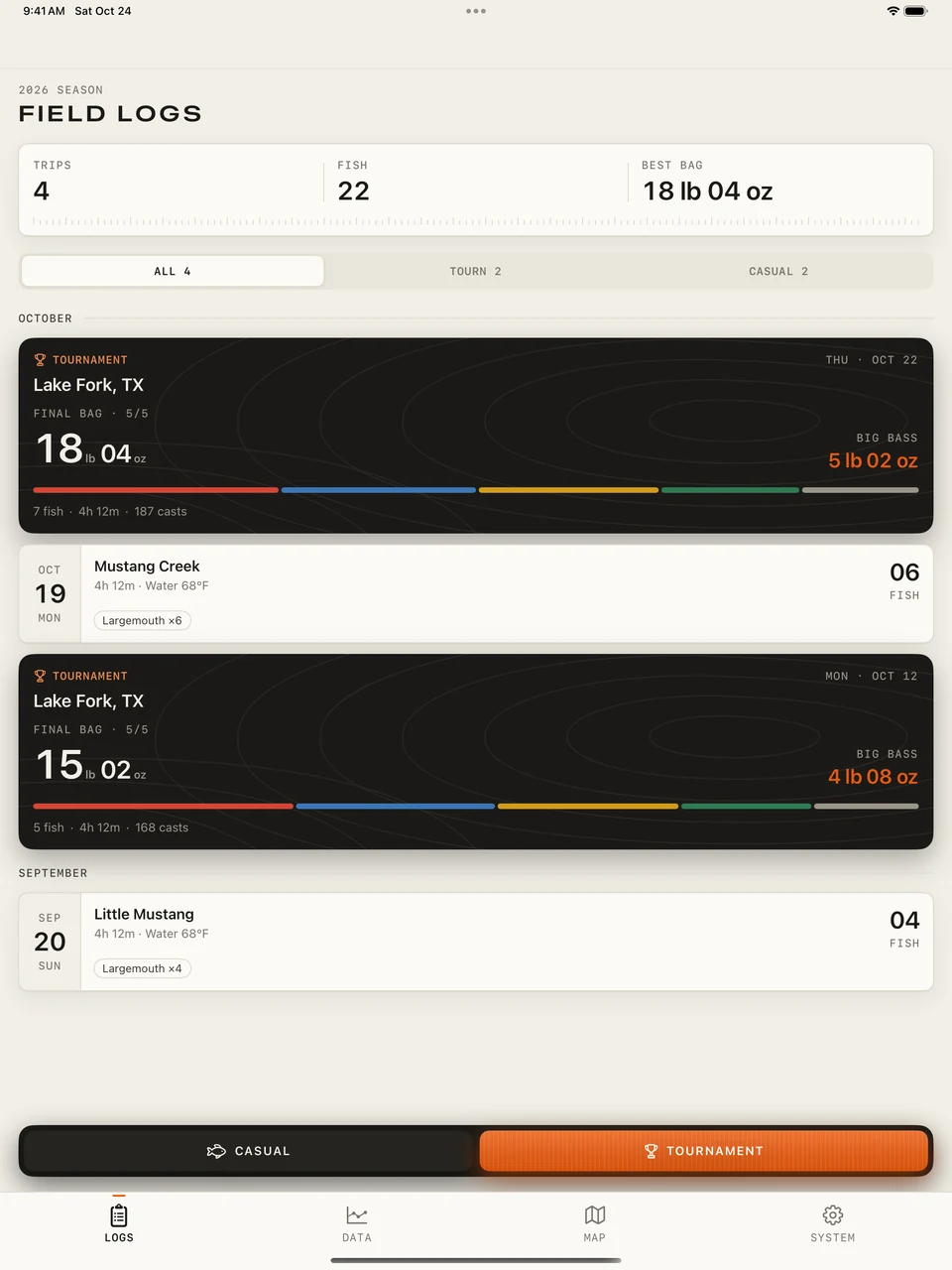
See your five heaviest fish, total bag weight, biggest bass and smallest keeper. Color-coded ranks and proportional bars make each fish’s contribution clear. Colors indicate weight ranks, not physical cull tags.
A field companion for bass anglers and tournament competitors. Record your trips, keep track of your best five and learn from your days on the water.
Scroll on. One detail at a time.
Tactile Utility · Field Edition: clear instruments, tactile controls and vintage bass-fishing illustrations. Actual 1.1 app screenshots with example fishing records. Skip to the field guide ↓
See your five heaviest fish, total bag weight, biggest bass and smallest keeper. Color-coded ranks and proportional bars make each fish’s contribution clear. Colors indicate weight ranks, not physical cull tags.
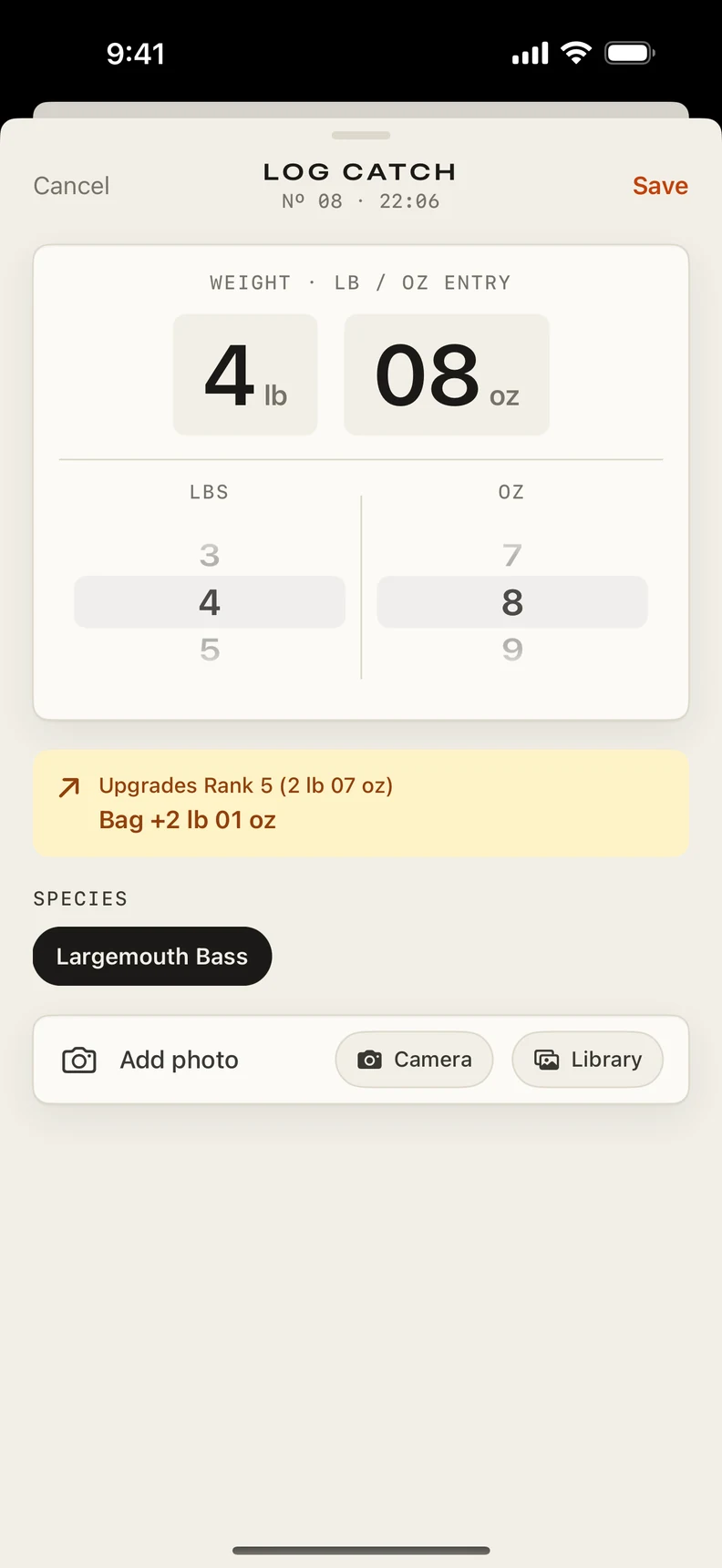
After five weighed catches, enter a heavier fish on iPhone to preview the bag-weight gain from replacing your smallest keeper. Check the weight, then save the catch.
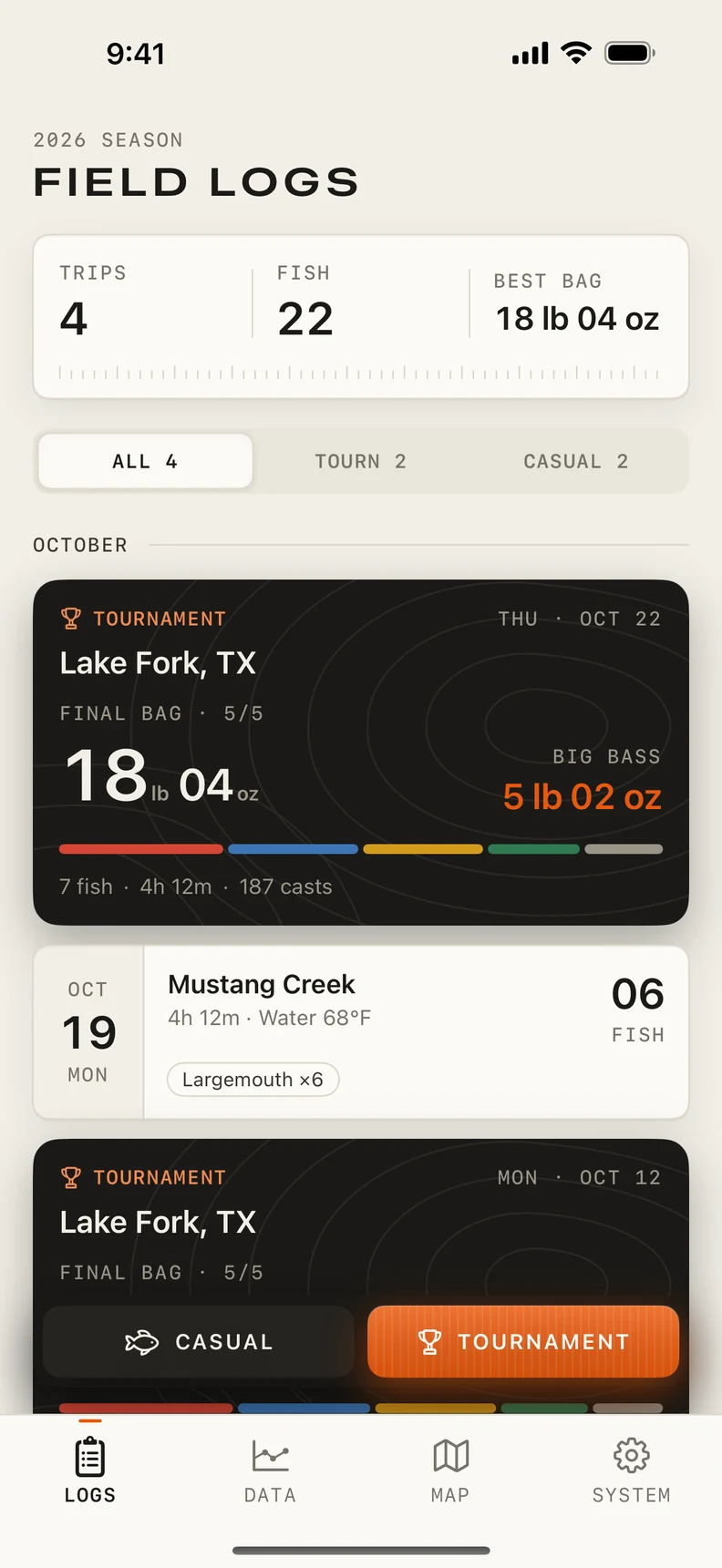
Start a casual or tournament session. Save species, weight, length or size, then add photos and notes on iPhone. Pause and resume as needed, and review the trip when it ends. No account is required; records stay on your device.
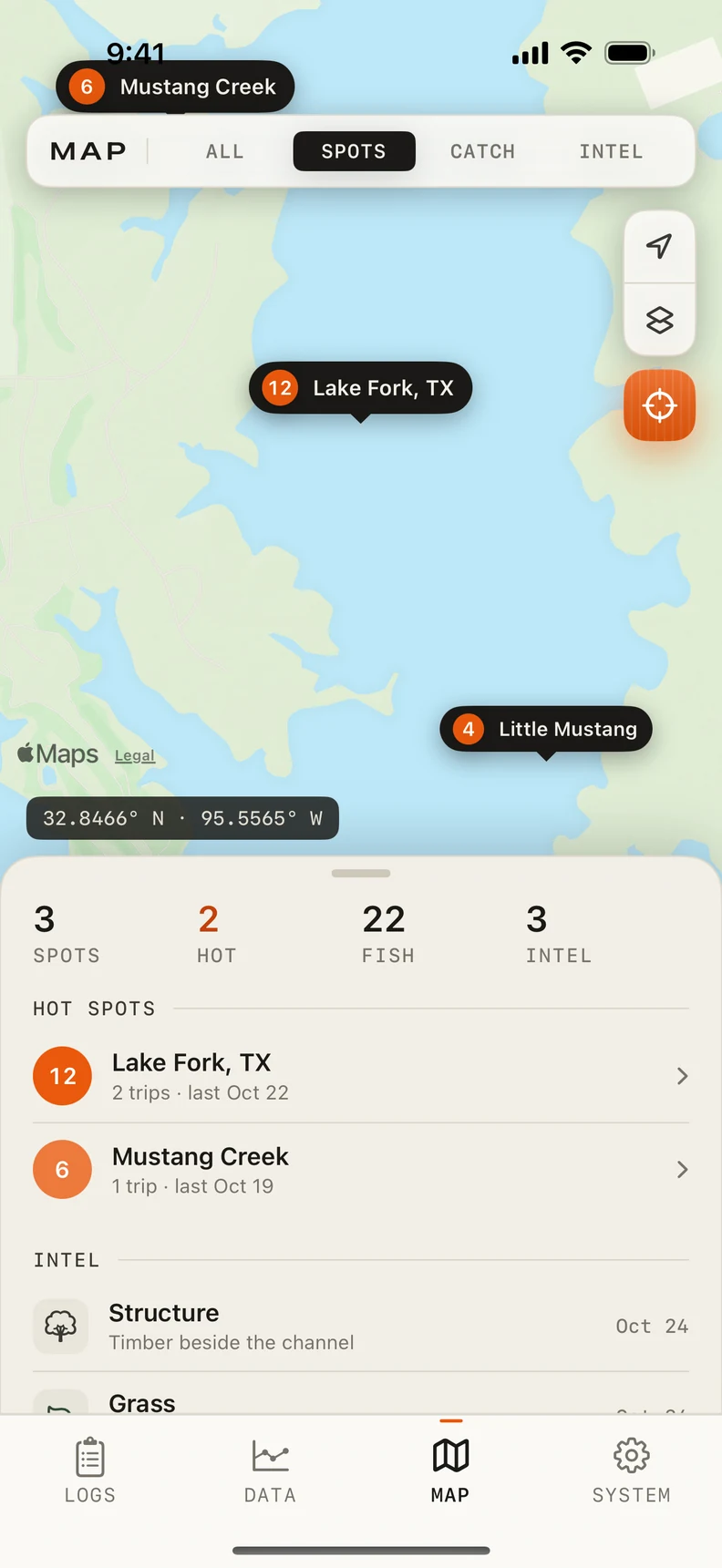
Mark structure, grass, rock and hazards on the map. Location recording needs permission; weather, place lookup and new map content depend on connectivity and service availability. Water temperature is entered manually.
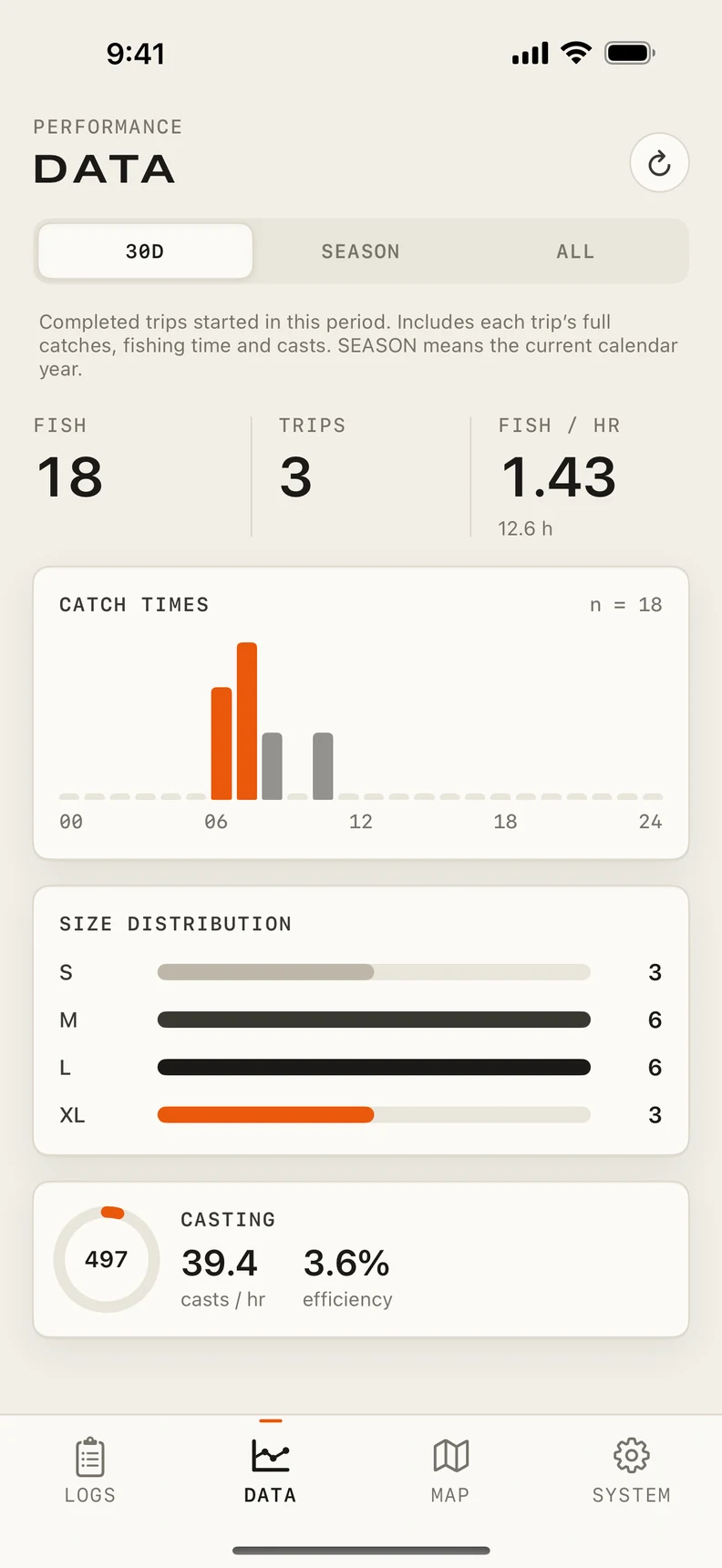
Review catch timing, size distribution, fishing time and cast statistics for completed trips. Filter by the last 30 days, the current calendar year or all records. SEASON means the current calendar year. Set weight and temperature units in SYSTEM.
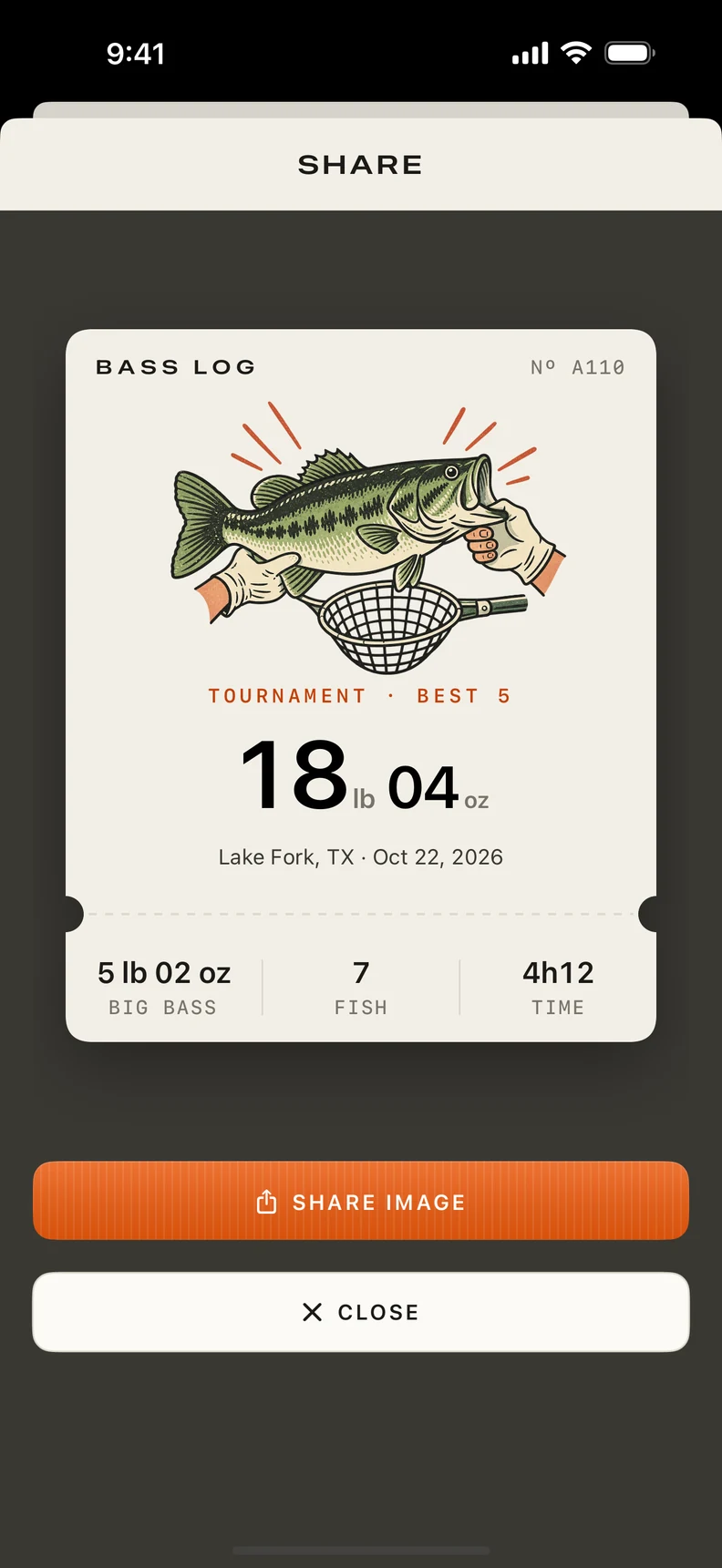
Turn a completed trip into an image card and send it through the system share sheet. Export sessions, catches and markers as JSON or CSV, with exact coordinates off by default. Exports exclude photo files and do not support import or full restore.
A few steps through the actual app.
LOGS → CASUAL / TOURNAMENT
Choose a session type in LOGS on iPhone. Tournament sessions rank your best five by weight. Pause when needed and end the trip when you’re done.
Session → LOG CATCH → Save
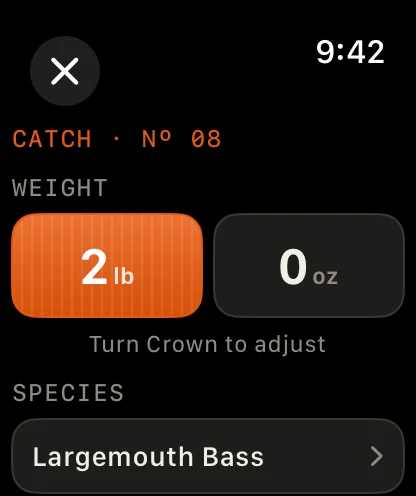
Enter the species and weight. After five weighed catches, a heavier fish shows a preview of the bag upgrade. On Apple Watch, select a weight field and turn the Digital Crown to adjust it.
LOGS → Completed trip → SHARE CARD
After ending a session, open its details to create an image card. Save or send it through the system share sheet. In DATA, choose 30D, SEASON or ALL; SEASON begins on January 1 of the current year.
SYSTEM → Your Data → Export Data
Choose JSON or CSV and a date range, then PREPARE EXPORT and SHARE FILES. Exact coordinates are off by default; place names and notes remain. Files contain records and photo references, not photo files. Version 1.1 has no import or full restore. Display-unit preferences do not change export units.
In the field: manual logging works without location or Health permission. Weather and map services need connectivity. Optional cast detection and workout recording depend on permission, hardware and service availability. Completed Watch records sync to the paired iPhone when connectivity is available.
Support and common questions